#400 – Using a WrapPanel as the Items Panel for a ListBox
October 4, 2011 6 Comments
The ItemsPanel property of a ListBox specifies the template that defines the panel used to contain the elements of the ListBox. You can override the normal vertically stacked layout of a ListBox by defining your own template.
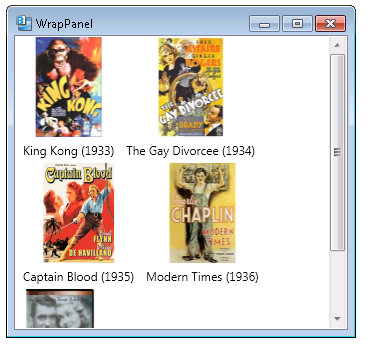
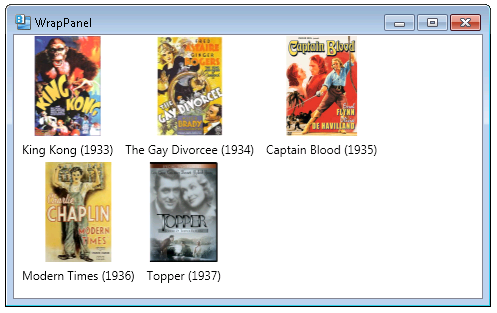
If you set the ItemsPanel template to contain a WrapPanel, the ListBox will show its child elements left to right, wrapping to the next row when each row fills up.
In the example below, we bind a ListBox to a list of movies, specify an ItemTemplate that dictates how each item appears, and then specify a template for the ItemsPanel that contains a WrapPanel.
    <Grid>
        <ListBox ItemsSource="{Binding MovieList}" ScrollViewer.HorizontalScrollBarVisibility="Disabled">
            <ListBox.ItemTemplate>
                <DataTemplate>
                    <StackPanel Orientation="Vertical">
                        <Image Source="{Binding Image}" Stretch="None"/>
                        <Label Content="{Binding TitleWithYear}"/>
                    </StackPanel>
                </DataTemplate>
            </ListBox.ItemTemplate>
            <ListBox.ItemsPanel>
                <ItemsPanelTemplate>
                    <WrapPanel IsItemsHost="True" Orientation="Horizontal"  />
                </ItemsPanelTemplate>
            </ListBox.ItemsPanel>
        </ListBox>
    </Grid>
Notice that the layout changes as we resize the parent window.
 About Sean
 2,000 Things You Should Know About WPF
Hey man nice, i am a beginner and i just learn to do this, but i have a question, if i wanna justify the items, in the right side of the movie list is a blank space, how can i remove it?.
sorry my english.
You could use a UniformGrid, e.g. https://wpf.2000things.com/2012/01/06/467-use-a-uniformgrid-for-evenly-spaced-rows-and-columns/
You might also look at this article – http://www.codeproject.com/Articles/32629/A-better-panel-for-data-binding-to-a-WrapPanel-in , which talks about creating a WrapPanel that has items with uniform width.
Pingback: #1,006 – Scrollbars in a ListBox Appear as Needed | 2,000 Things You Should Know About WPF
Pingback: #1,016 – Displaying a Collection of Items in a WrapPanel | 2,000 Things You Should Know About WPF
Pingback: Windows Phone: WrapPanel | wp7appdevelopment
Pingback: Tooltip For Listbox Items | Ahcjrolen